BoothSettle

Tool for Square sellers · start for free

Vendor Statement Intelligence for Square

Give every booth vendor a clear monthly statement built from your Square sales: what they sold, your commission, their rent, and what you owe them. No month-end spreadsheet.

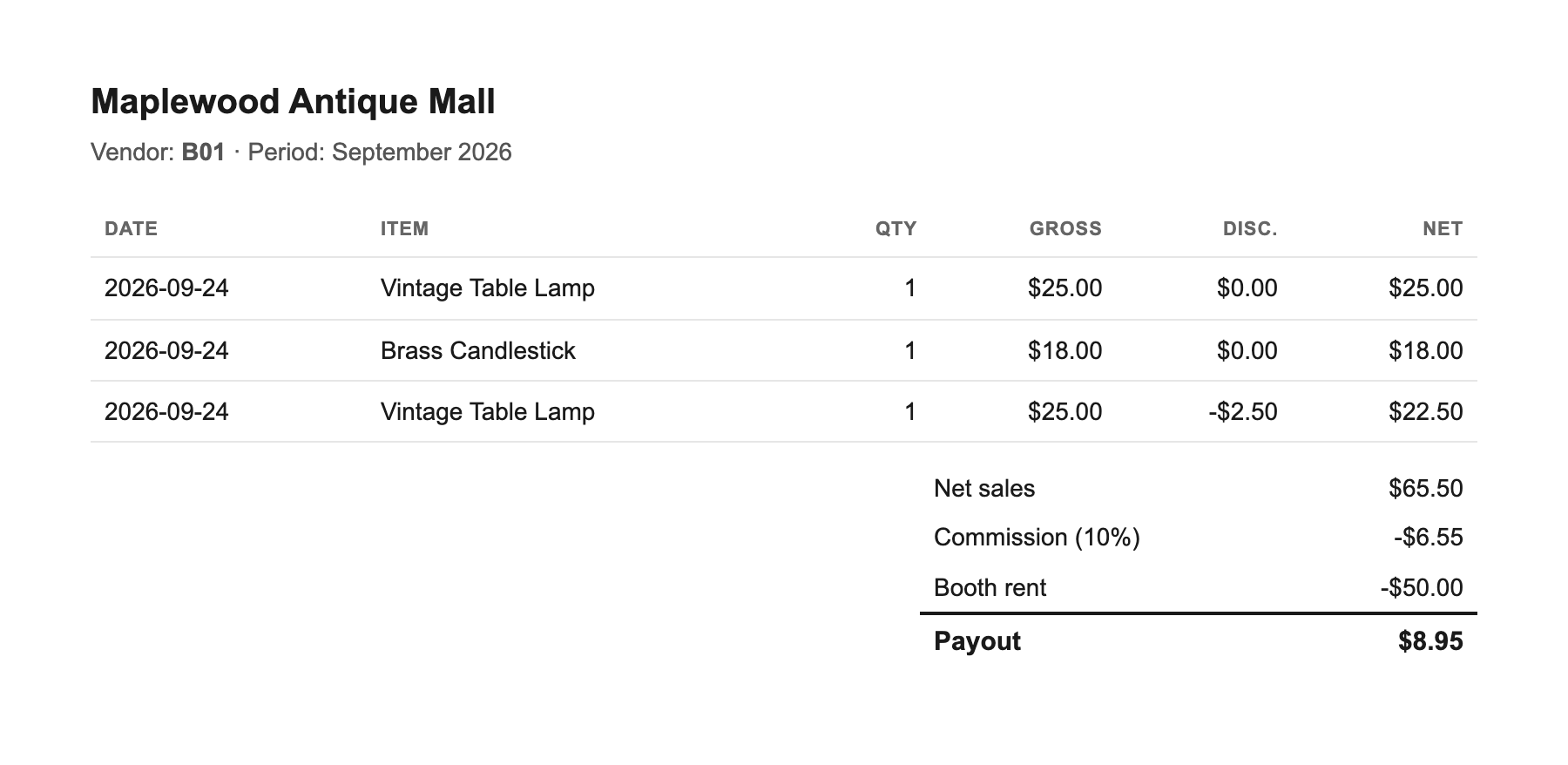
Example BoothSettle vendor statement built from Square sales: item lines with gross, discount and net, then net sales, commission, booth rent and payout.

Before and after

The same Square export, two different month-ends.

Without BoothSettle

  • You rebuild the same spreadsheet from your Square export every month.
  • You match each sale to a vendor by hand, booth by booth.
  • Commission and booth rent are your own formulas to maintain.
  • One wrong cell pays a vendor the wrong amount.
  • When a vendor asks what they sold, you go dig through Square.

With BoothSettle

  • Your Square export becomes one statement per vendor.
  • Sales are matched to each vendor for you.
  • Commission and rent are applied the same way every time.
  • The totals match what Square recorded.
  • Each vendor gets a statement you can hand over or send.

How it works

Step 1

Connect Square

Link your Square account once. It reads your item sales and categories.

Step 2

Set your rules

Pick how your vendors are coded, then set commission and booth rent.

Step 3

Send statements

Check the payouts and send each vendor their statement.

Who it's for

Examples of the shops BoothSettle is built for.

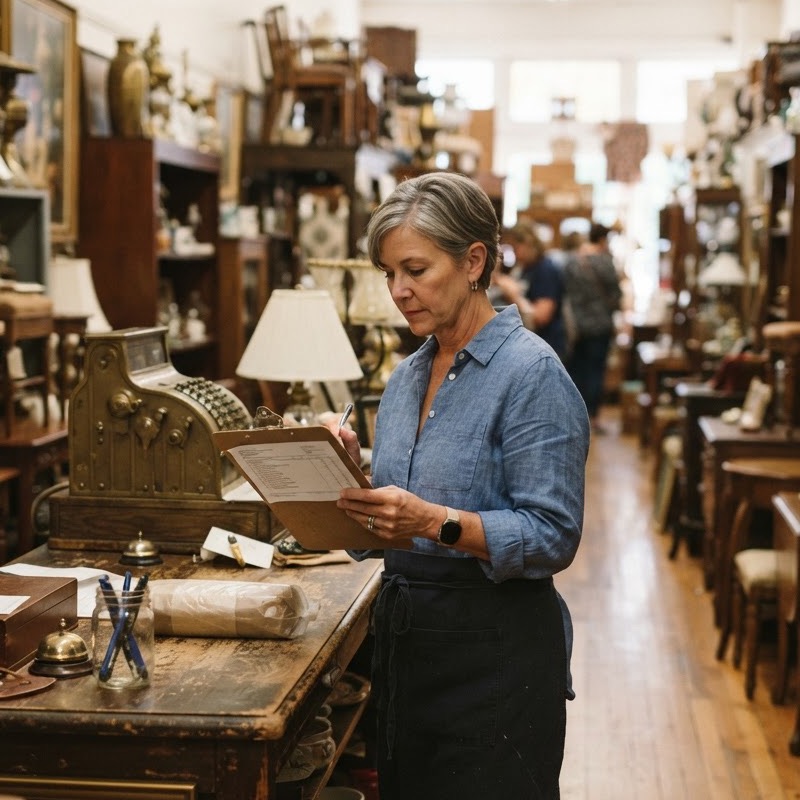
Antique mall owner reviewing a printed statement at the counter

Antique mall, about 40 booths

A family-run antique mall with around 40 booths, where the owner closes out the month herself. Vendors are coded by category in Square, so each one gets a clear statement with their sales, the house commission, and their booth rent.


Two-floor vendor mall with many booths seen from an upper walkway

Vendor mall, about 120 booths

A busy two-floor vendor mall with about 120 booths and steady daily sales. Commission rates vary by vendor, so every payout is worked out the same way and the totals line up with what Square recorded.

Maker arranging handmade ceramics at a small craft mall booth

Craft mall, about 25 booths

A small craft mall with about 25 local makers. Each maker gets a clear monthly statement of what they sold and what they are owed, without anyone rebuilding a spreadsheet.

Works on top of Square

Keep using Square

You don't need a new POS to pay your vendors. Square already has every sale, item, and category. BoothSettle turns that into vendor statements, and you keep taking payments the way you do now.

Frequently asked questions

Is there a free plan?

Yes. You can start for free, without a credit card.

What happens to my data?

Your sales data stays tied to your account and is never sold.

Do I need to switch POS?

No. It works on top of Square, so you keep taking payments the way you do now.

What about custom amounts or rows with no vendor code?

They go into an Unassigned line, so nothing is dropped without you seeing it.

How are refunds and tips handled?

They come from your Square account, so a payout matches what Square actually paid out.

Close out the month faster

Start free today. The automatic, Square-connected version, with monthly statements generated for you, is on the way.

Start for free